Know the next event, time, consensus, and prior
The calendar keeps official timing and the latest available forecast together, without inventing a consensus where none exists.
 Vector Ridge
Inflation, rates, and growth
See the next major release, the consensus, and the portfolio question it creates.
Macro keeps scheduled inflation, labor, growth, and policy events in one calendar with verified expectations, scenario context, and dated conclusions after the release.
Inside Macro
Date and consensus are only the start. The preview links possible outcomes to rates, growth, inflation, and portfolio exposures.
Select a numbered point to trace the screen.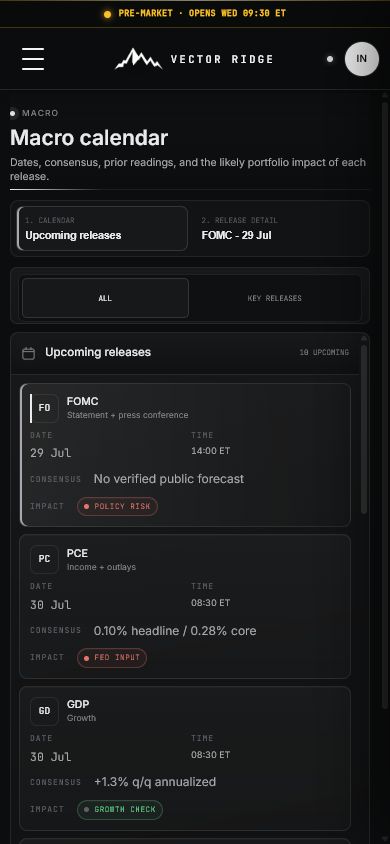
Why Macro
Macro turns inflation, rates, labor, growth, and policy events into dated scenarios tied to the portfolio.
The calendar keeps official timing and the latest available forecast together, without inventing a consensus where none exists.
Rates, dollar, equity, sector, and portfolio implications are framed as scenarios before the release, not certainty.
Reported releases preserve actual versus consensus, the market response, and the resulting portfolio conclusion.
Complete macro-event manual
Macro organizes inflation, labor, growth, and policy releases around verified schedules and consensus. It maps conditional outcomes before the event and replaces them with actual results and a dated conclusion afterward.
Product map
Move through the product in order. Each view has a distinct job and should not be used as a substitute for the next one.
Which macro release occurs next and what is the verified consensus?
What matters inside the release and which portfolio channel is exposed?
What would softer, in-line, or stronger data imply conditionally?
Which regime, liquidity, curve, and forecast pressures surround the event?
What printed, how did markets respond, and what changed?
Screen anatomy
The field, its meaning, and the decision it supports remain separate. This prevents a rank, forecast, range, or headline result from carrying more authority than it should.
The official release date, time, and time zone.
Use the precise clock because event risk can concentrate into seconds.
The current verified public forecast for the release.
Treat it as the surprise baseline, not as Vector Ridge certainty.
The previously reported reading before any displayed revision.
Check revisions because the comparison base can change.
The market or portfolio channel most exposed to the result.
Use it to focus preparation across rates, dollar, equities, and sectors.
A conditional softer, in-line, or stronger outcome.
Use it to predefine checks; replace it with the actual result after release.
Current growth, inflation, liquidity, curve, and recession context.
Interpret the same surprise differently when the surrounding regime differs.
The published reading after the release.
Compare it with consensus and revisions before reading the market move.
A dated summary of the surprise, reaction, and portfolio implication.
Use it as the event record after the preview is obsolete.
Interpretation states
A product state should lead to a specific research action, including the decision to do nothing when no new evidence deserves attention.
Repeatable workflow
The routine keeps the product useful after the novelty disappears. It also leaves a clearer record of what was known, what changed, and why a decision followed.
Review the calendar and confirm the event date, release time, consensus, and prior reading.
Open the event preview and identify the components that matter beyond the headline.
Select softer, in-line, and stronger scenarios to predefine conditional checks across rates, dollar, equities, and the book.
Read the current regime, liquidity, curve, recession, and forecast backdrop.
At release, compare actual with consensus and verify any revisions before interpreting price.
Separate the economic surprise from the first market reaction; positioning can dominate the initial move.
Use the reported conclusion as the new record and update portfolios only when the evidence warrants it.
Plain-English glossary
Eight real product captures
Macro combines the official calendar, verified consensus, conditional market scenarios, the current backdrop, and reported outcomes without presenting a scenario as a prediction.
The calendar keeps event date, time, consensus, prior reading, and likely portfolio channel together. Opening a release creates a focused preview.
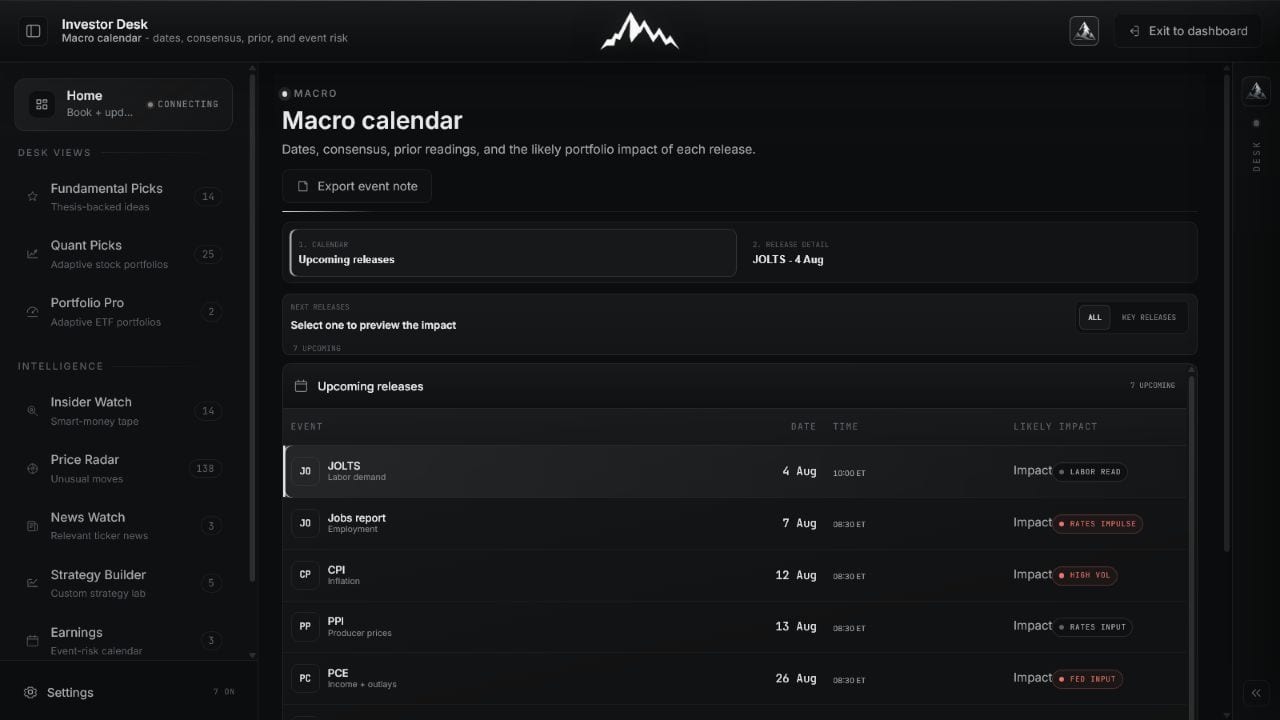 Open full image
Prioritize inflation, labor, growth, and policy events using verified schedule and consensus context.
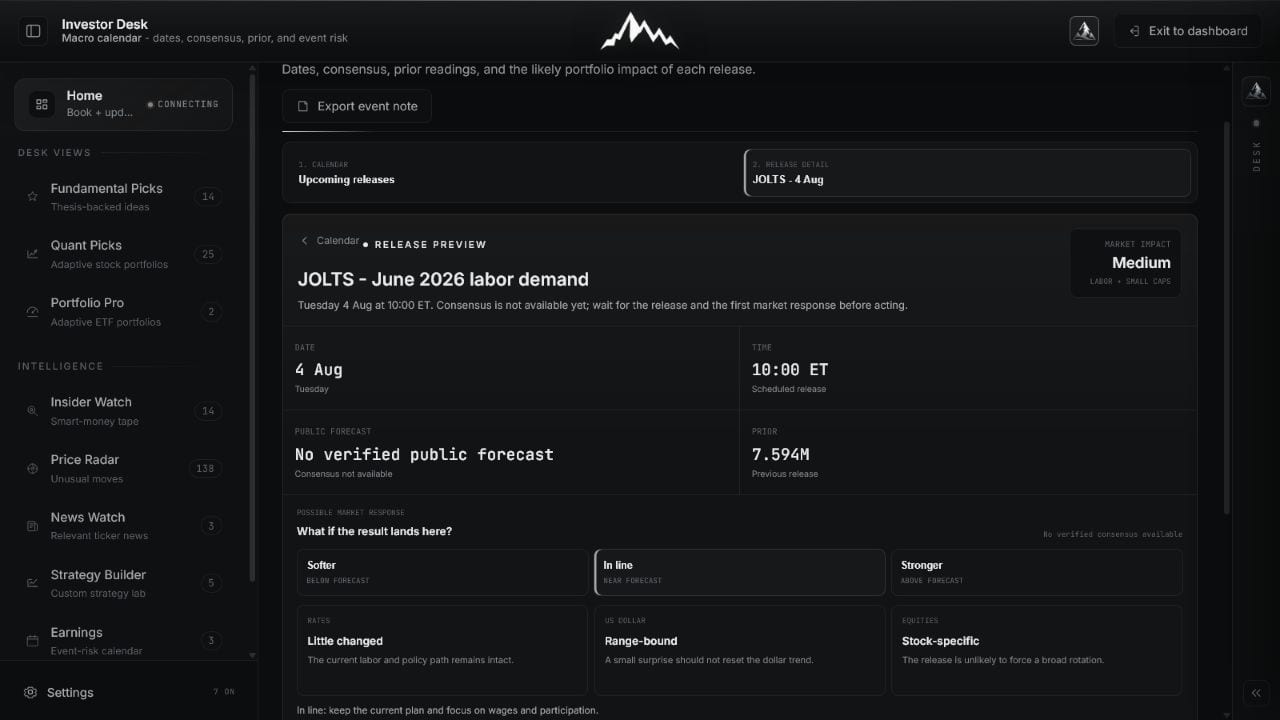 Open full image
Define what matters and which portfolio channels could react before the number arrives.
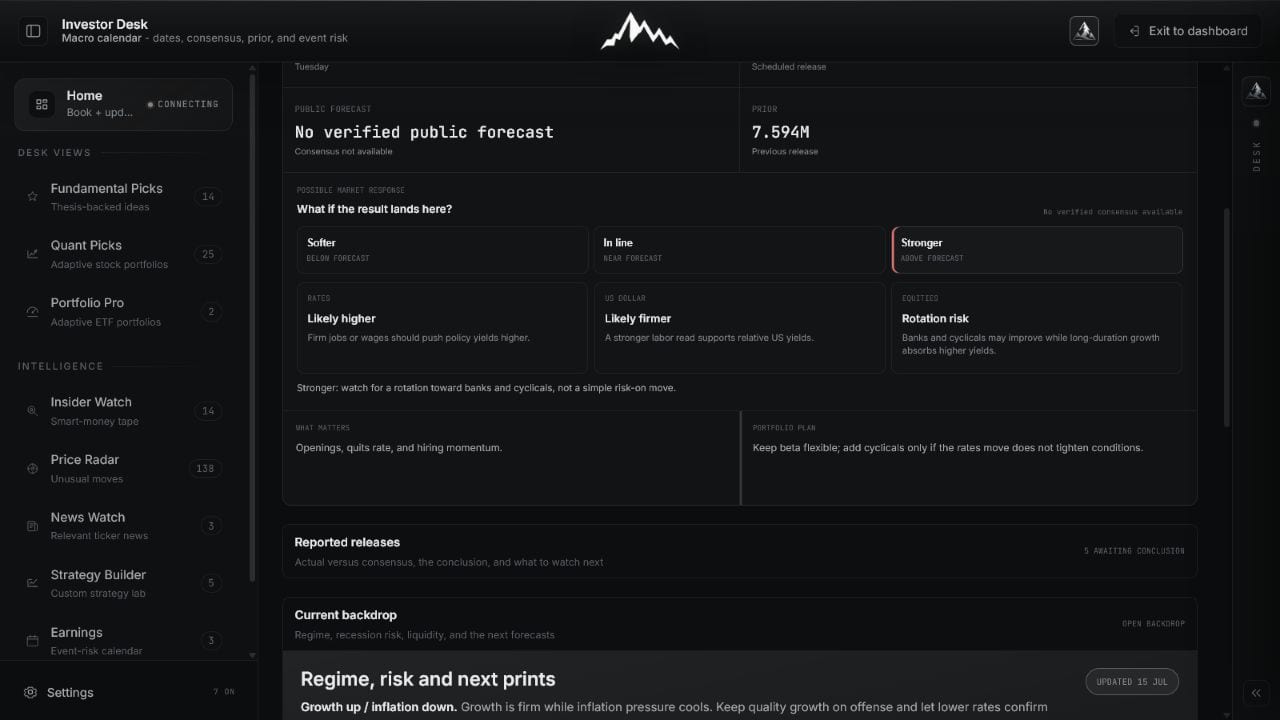
Conditional scenarios map possible reactions in rates, the U.S. dollar, and equities. They organize preparation; they do not claim certainty.
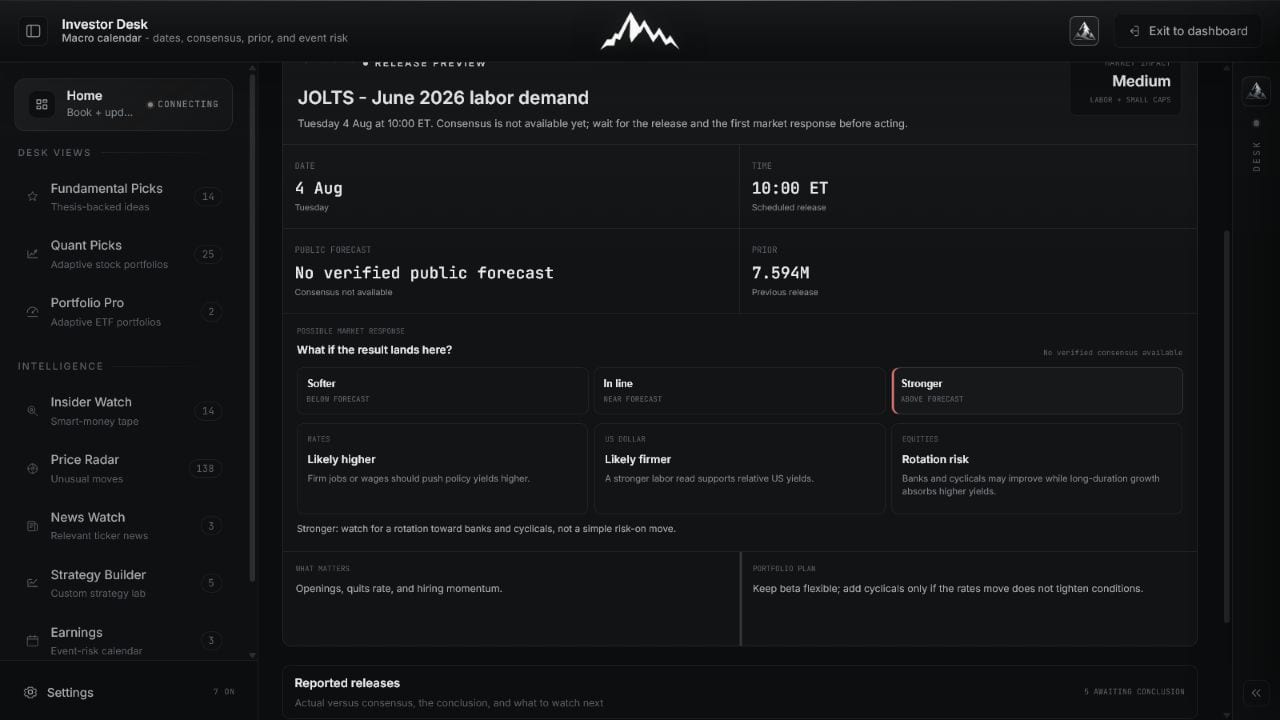 Open full image
Use the selected scenario to predefine checks, then replace it with the actual result and live response.
 Open full image
Read the event inside the broader regime, recession, liquidity, curve, and forecast context.
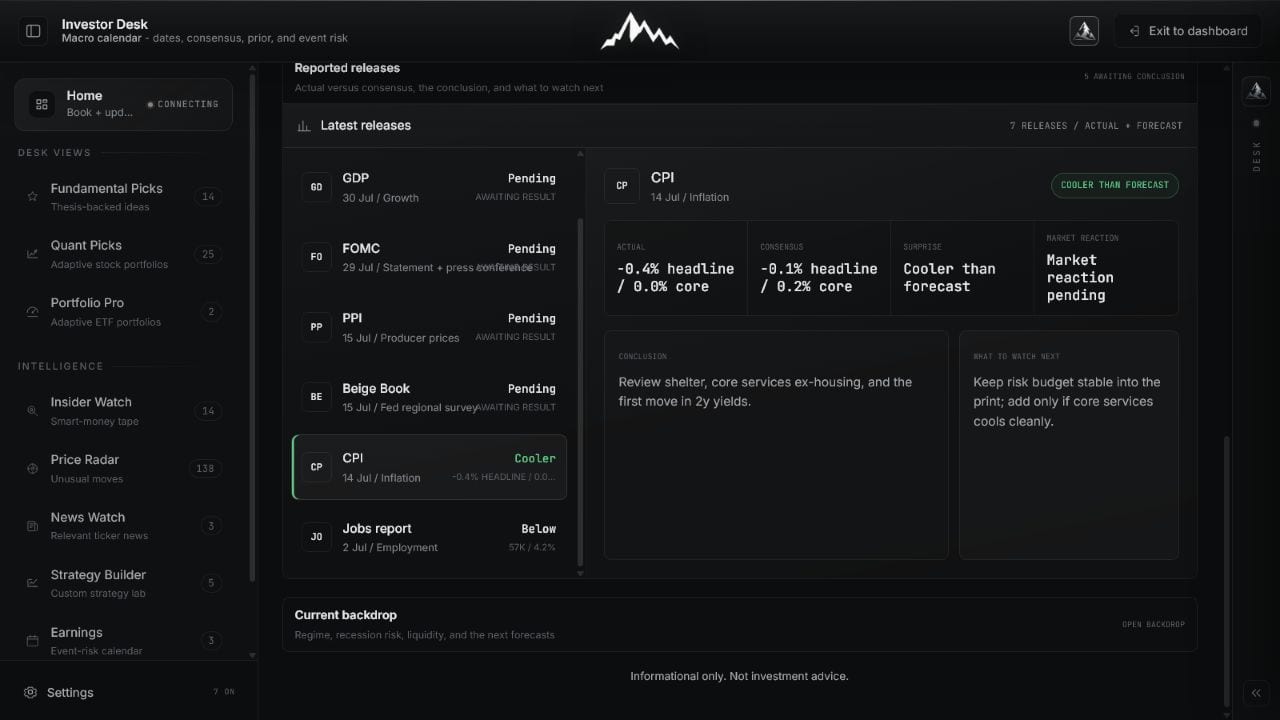
Reported releases preserve actual, consensus, revision context, conclusion, and market response so the event becomes a dated research record.
 Open full image
Distinguish the economic surprise from the first market reaction and any later reversal.
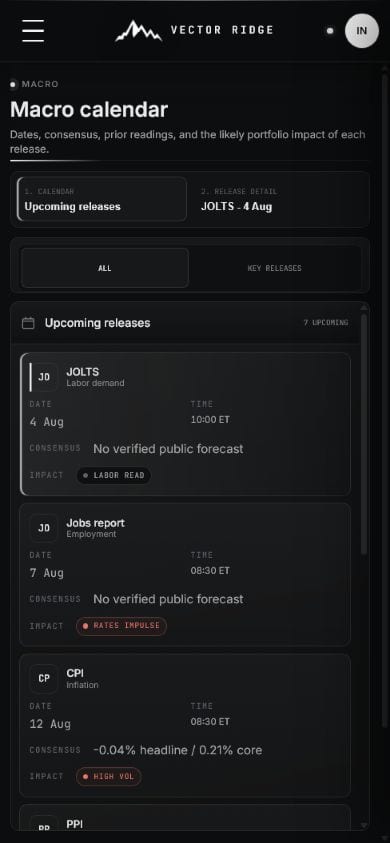
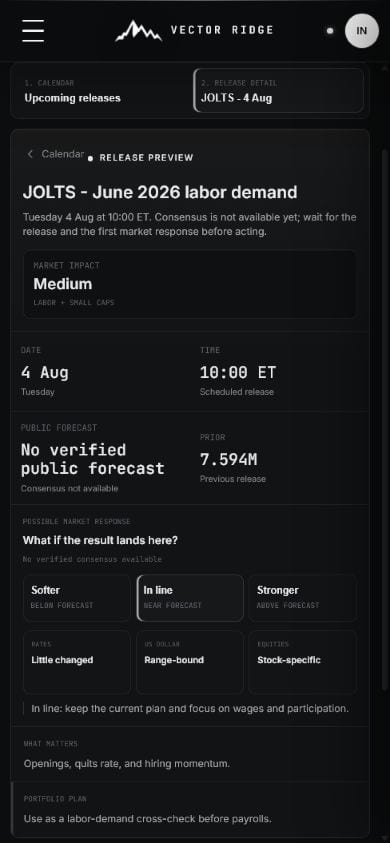
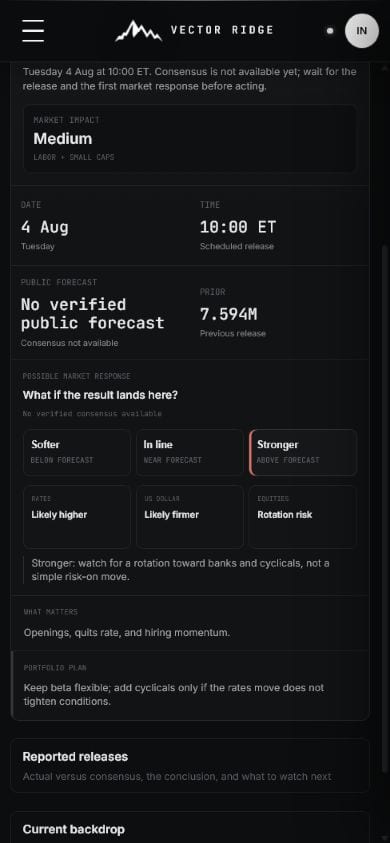
Mobile starts with the calendar, opens one preview, then exposes the scenario map without a sideways table.
 Open full image
Choose the next relevant release.
 Open full image
Read consensus and portfolio focus.
 Open full image
Prepare conditional checks before the actual result.
How to use it
Read the official schedule and consensus, map conditional outcomes to the portfolio, then return for the actual result and dated conclusion.
Review the next key event first, then filter the calendar when you only need major releases.
Confirm date, time, public forecast, prior reading, market impact, and the portfolio exposures that deserve attention.
Read weaker, in-line, and stronger outcomes as conditional context, not forecasts.
After the release, compare actual with consensus and read what changed for rates, growth, inflation, and the portfolio plan.
Macro on mobile
Mobile keeps the release schedule, consensus, likely impact, and post-release conclusion in one compact event workflow.
Example workflow
The calendar is built around the decision question, not a wall of economic data.
Confirm release time and consensus
Review prior and the components that matter
Map the scenarios to portfolio exposures
Return after release for the actual result and conclusion
Updates and boundaries
Upcoming events use the latest verified public forecast available. Reported releases add actual values, revisions, initial market response, and a conclusion once those facts can be confirmed.
Ready to use Macro?
Use Macro with its current data, controls, and saved account context.