Follow the names that matter to you
Search and save tickers, then use the company list as the scope for each new update.
 Vector Ridge
Personalized market news
Follow the tickers you care about without reading the same story five times.
News Watch builds a concise on-site feed from the companies you choose, then adds only the product updates and event types you want to see.
Inside News Watch
Choose the companies and product updates you care about, then read one deduplicated queue instead of repeated headlines.
Select a numbered point to trace the screen.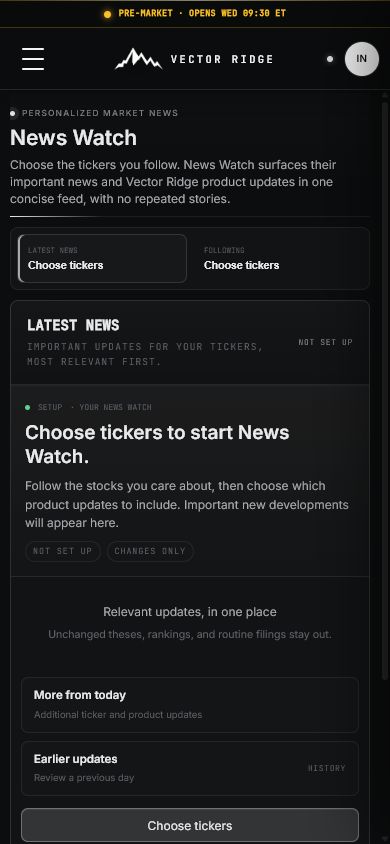
Why News Watch
News Watch creates a focused on-site feed for the companies and Investor Desk products you choose, with repeated coverage stripped out.
Search and save tickers, then use the company list as the scope for each new update.
The feed prioritizes genuinely new company news, filings, earnings, unusual moves, and product changes instead of repeating static research.
Deduplicated coverage keeps the current development clear while older updates remain available when you need context.
Complete personalization manual
News Watch turns selected companies and selected Investor Desk products into a concise on-site feed. It removes duplicate headlines, avoids repeating unchanged research, and keeps earlier updates available when context matters.
Product map
Move through the product in order. Each view has a distinct job and should not be used as a substitute for the next one.
Which tickers should be monitored for relevant updates?
Which product changes and company news belong in this feed?
What is genuinely new and why does it matter?
What changed previously and how did the current context develop?
Screen anatomy
The field, its meaning, and the decision it supports remain separate. This prevents a rank, forecast, range, or headline result from carrying more authority than it should.
A company explicitly saved to the personalized feed.
Use a focused list rather than recreating the whole market.
The Investor Desk product or company-news category allowed into the feed.
Disable categories that do not change your decisions.
The highest-priority current development across followed companies.
Read the explanation before scanning the shorter queue.
A concise statement connecting the item with the company or product review.
Use it as a routing cue, then open the underlying detail.
Additional distinct updates that did not become the lead item.
Expand only when the first pass warrants more context.
Prior dated items retained for the followed companies.
Use it to reconstruct change, not to reread stale headlines each day.
An optional in-app notification threshold.
Reserve alerts for important changes; the complete feed remains on site.
The filing, release, or article attached to a feed entry when available.
Check the original record before relying on precise claims.
Interpretation states
A product state should lead to a specific research action, including the decision to do nothing when no new evidence deserves attention.
Repeatable workflow
The routine keeps the product useful after the novelty disappears. It also leaves a clearer record of what was known, what changed, and why a decision followed.
Add only companies you genuinely want to review when something changes.
Choose the Investor Desk products and company-news category that belong in your feed.
Read the lead item's why-it-matters statement before opening shorter updates.
Open the owning product for model, research, range, ownership, earnings, or macro detail.
Use More from today when the lead item reveals a broader development.
Use earlier history to reconstruct context across several days, not as a daily reading obligation.
Review followed companies periodically and remove names that no longer belong in the workflow.
Plain-English glossary
Five real product captures
News Watch is a personalized on-site intelligence feed. These captures show how followed companies and selected product changes become a calm, deduplicated review queue.
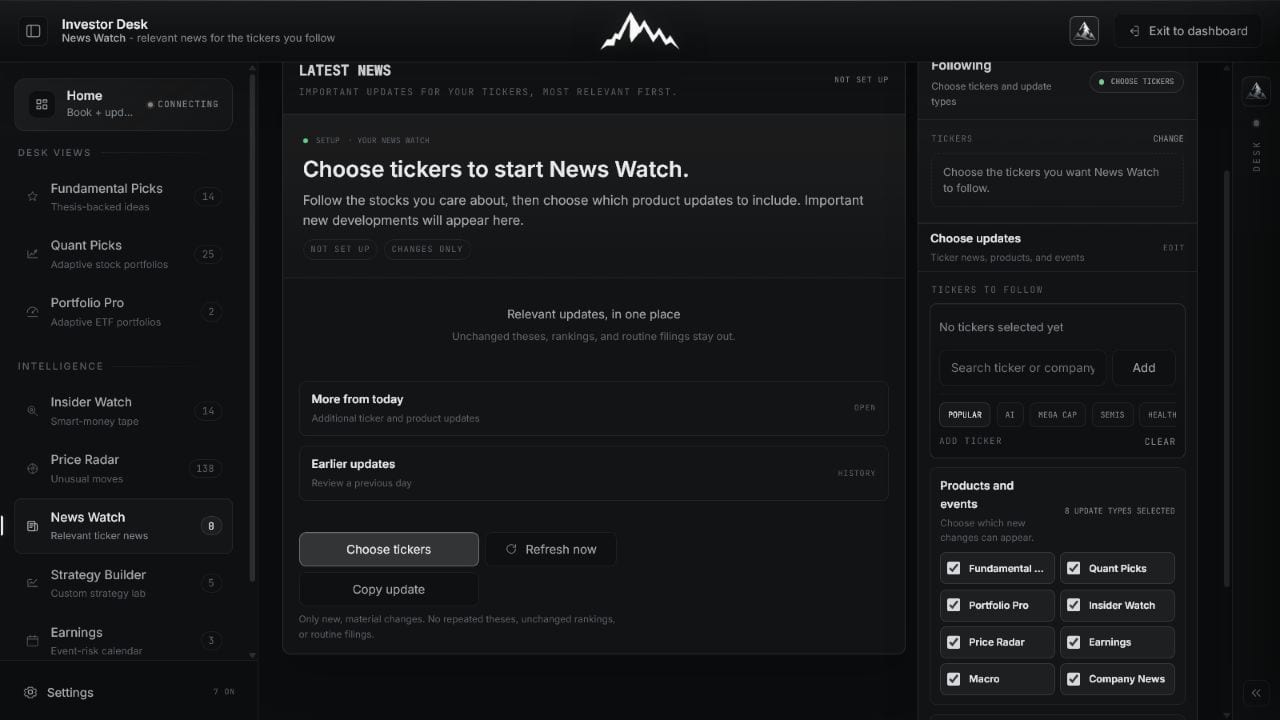
Follow tickers directly, then include only the Vector Ridge products and company updates that matter to your process.
 Open full image
Choose followed companies and decide which product changes belong in the personalized feed.
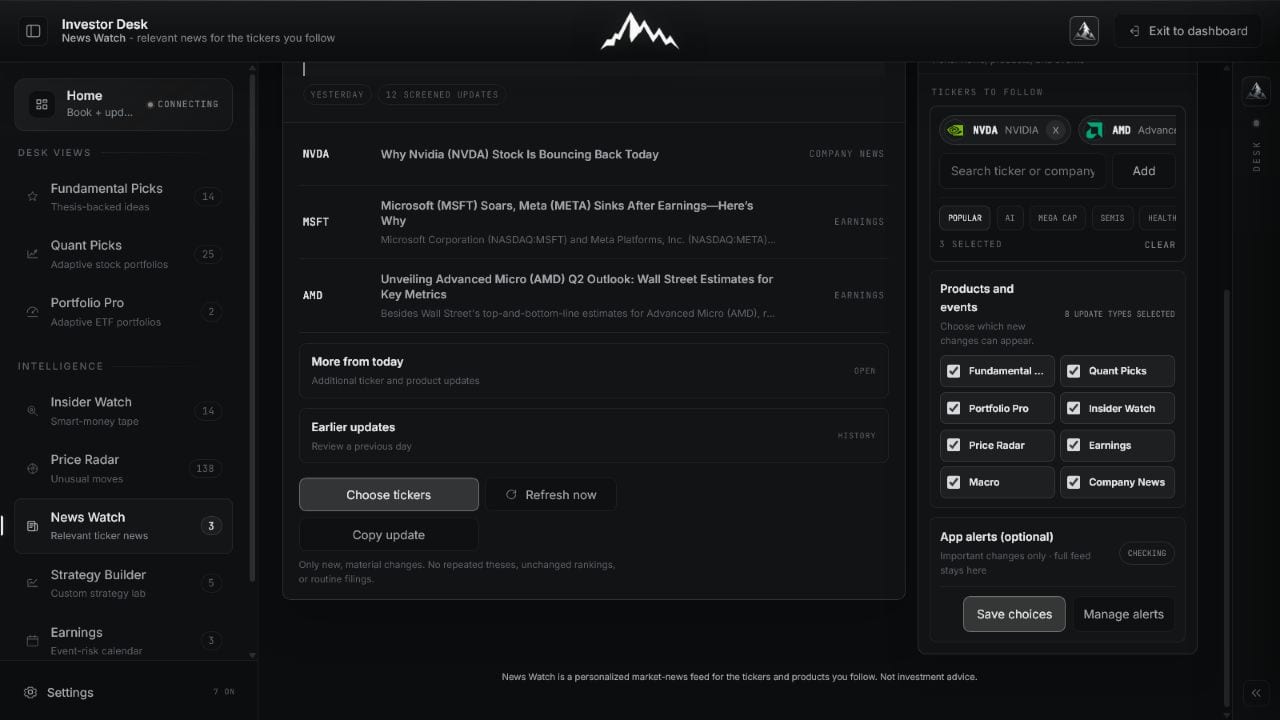
A lead item explains why it matters. Remaining items are deduplicated into a compact queue, with earlier updates available when context is needed.
 Open full image
Read the strongest new development first, then scan the remaining company-linked changes.
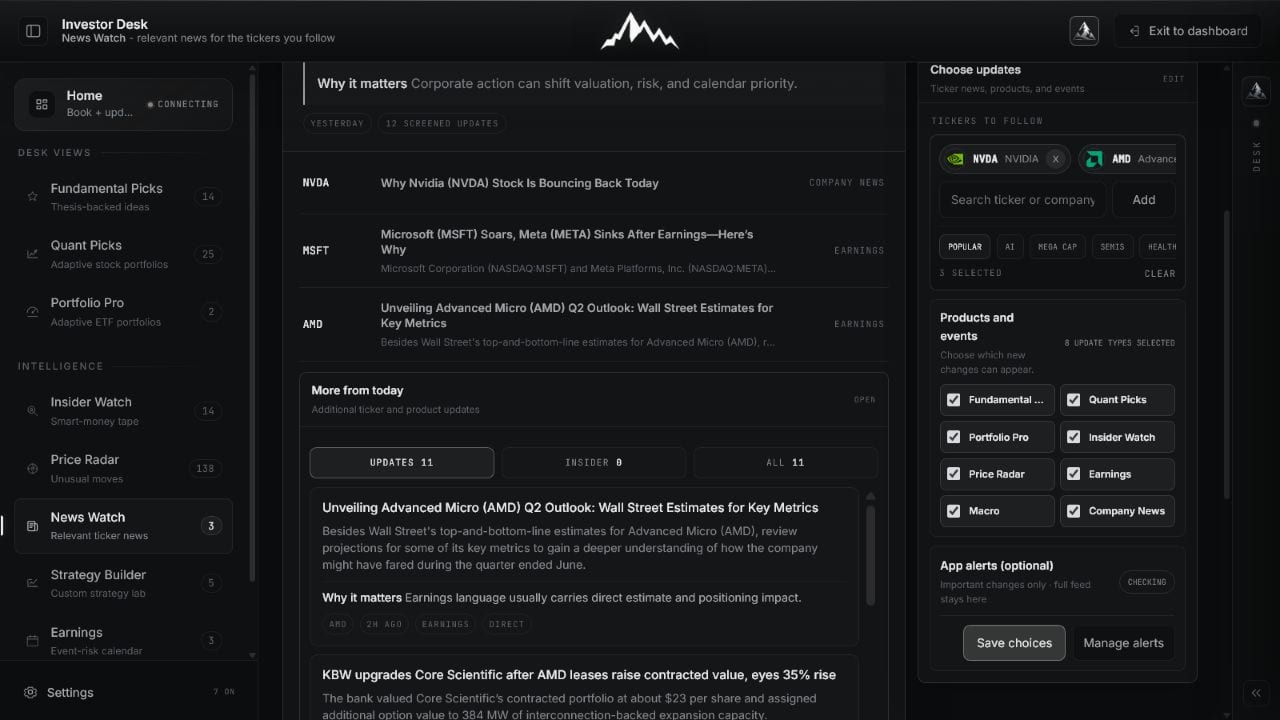 Open full image
Open more from today or earlier history without repeating unchanged theses and rankings.
Mobile makes it obvious whether the user is choosing coverage or reading the resulting feed.
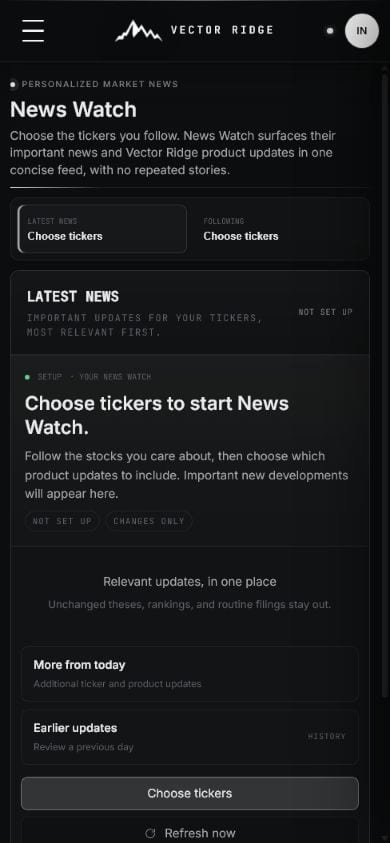 Open full image
Add companies and update types without horizontal scrolling.
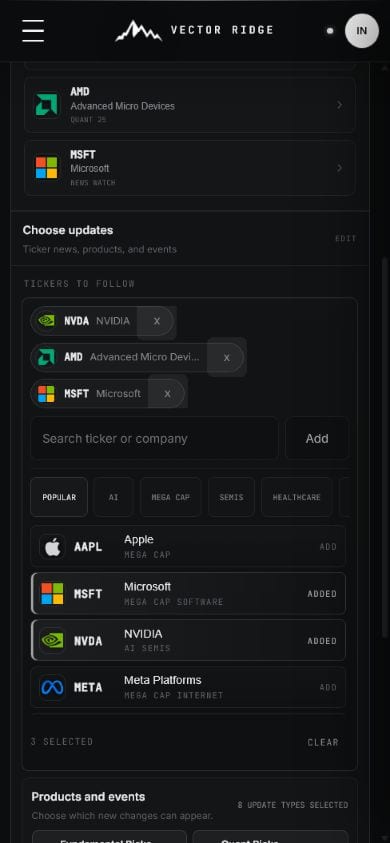 Open full image
See concise, relevant company updates in priority order.
How to use it
The quality of News Watch comes from the setup: a focused company list, deliberate update choices, and a changes-only reading habit.
Search by ticker or company, add the names you care about, and remove any company that no longer belongs in your feed.
Turn product and event categories on or off so the feed matches your actual workflow.
Start with the most relevant update and its concise explanation of why it matters.
Expand the current day or review prior days without changing the ticker list.
News Watch on mobile
Mobile keeps ticker selection, lead news, product changes, and prior-day history in one focused on-site reading queue.
Example workflow
Set up the list once, then use News Watch as a focused reading queue.
Add the four companies
Enable company news, earnings, and relevant product changes
Read only new developments
Open the company research when an update changes the thesis
Updates and boundaries
The feed refreshes as supported news and product events arrive. Relevance and deduplication are designed to reduce repetition, but users can still open more history when needed.
Ready to use News Watch?
Use News Watch with its current data, controls, and saved account context.